Data Sources - External Web API
Overview
This is part of the broader Data Sources framework in NiftyImages, which supports both internal data (Data Stores/CSV) and external, real-time integrations.
What You Can Do (Capabilities)
External Web APIs unlock fully dynamic, real-time personalization across all NiftyImages image types.
Real-Time Personalization at Open
- Render content based on live data at the moment of email open or page load
- Ensure accuracy for:
- Pricing
- Inventory availability
- Loyalty points
- Event timing or status
Parameter-Driven Data Retrieval
- Pass dynamic parameters via the image URL, such as:
- customer_id
- zip_code
- product_id or sku
- Use these parameters to return user-specific or context-specific data
Power Any Image Type
External API data can be used across:
- Personalized Images
- Countdown Timers (dynamic end dates)
- Charts (live metrics)
- Maps (location-based data)
- Weather API connection
- Rule Sets (decisioning based on API response)
Dynamic Content Use Cases
- Loyalty dashboards (points, tier status)
- Product blocks (price, availability, image)
- Localized content (weather, nearest store)
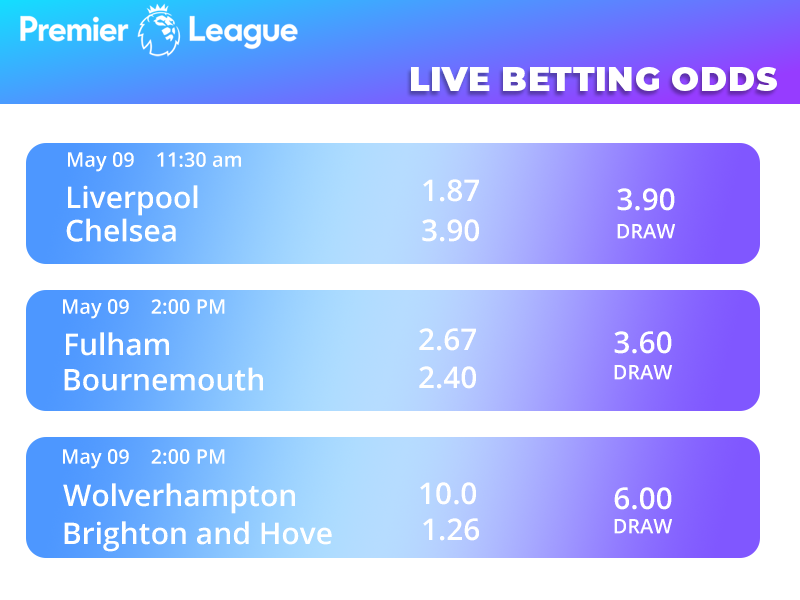
- Live content feeds (blog posts, sports scores, news)
- Offer personalization (next-best product, recommendations)
“Set It and Forget It” Automation
- One image URL can continuously update as backend data changes
- No need to resend emails or rebuild campaigns
What You Need to Set It Up
To successfully connect an External Web API in NiftyImages, you’ll need the following:
1. API Endpoint
- A publicly accessible HTTP/HTTPS endpoint
- Example:
- https://api.yoursite.com/customer-data
2. Supported Request Method
- Typically:
- GET (most common)
- POST (if required by your system)
3. Query Parameters
Define what data NiftyImages will pass into your API:
- Examples:
- customer_id=12345
- zip=30309
- sku=ABC123
These parameters usually come from:
- ESP merge tags
- Static values
- URL parameters in the image source
4. API Response Format
Your API must return structured data (typically JSON):
Example:
{
"first_name": "Jenny",
"loyalty_points": 1240,
"tier": "Gold",
"next_reward": "Free Drink",
"store_city": "Atlanta"
}
This data is then mapped into your NiftyImages template.
5. Data Mapping in NiftyImages
Inside NiftyImages, you will:
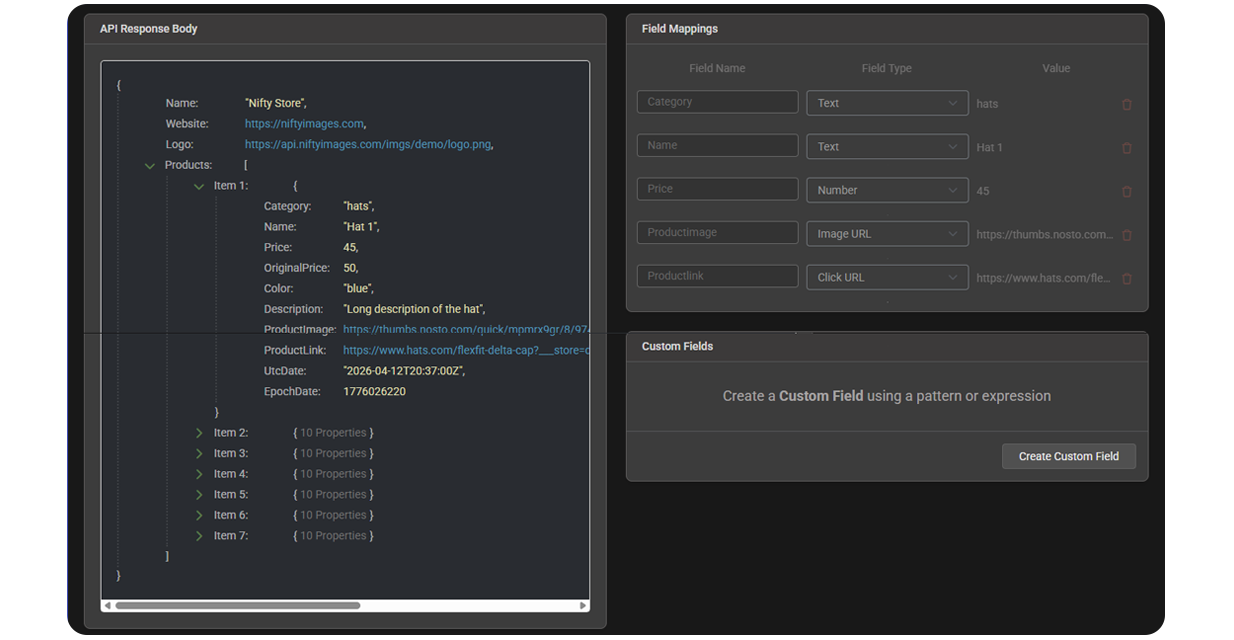
- Map API response fields → image variables
- Example:
- loyalty_points → text layer
- tier → badge or label
- store_city → location text
Configuration in NiftyImages
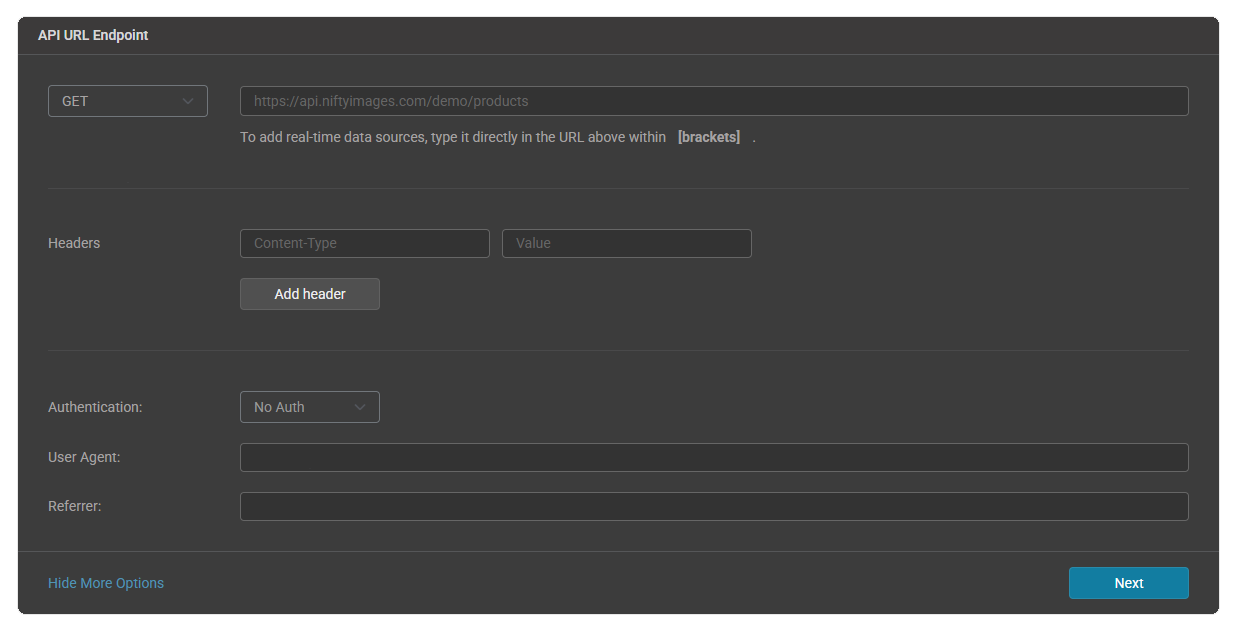
When setting up an External Web API Data Source, you will configure:
- API endpoint URL
- Request method (GET/POST/PUT)
- Query parameters (dynamic or static)
- Headers (for authentication if needed)
- Response field mappings
- Optional fallback values (if API fails or data is missing)
When to Use External Web API vs Data Store
Use External Web API when:
- Data must be real-time
- Values change frequently (pricing, inventory, scores)
- You already have an existing API
Use Data Store (CSV) when:
- Data updates periodically (not instantly)
- You want simpler setup without API dependencies
- You prefer syncing data via uploads or tools like Zapier
Setup in NiftyImages:
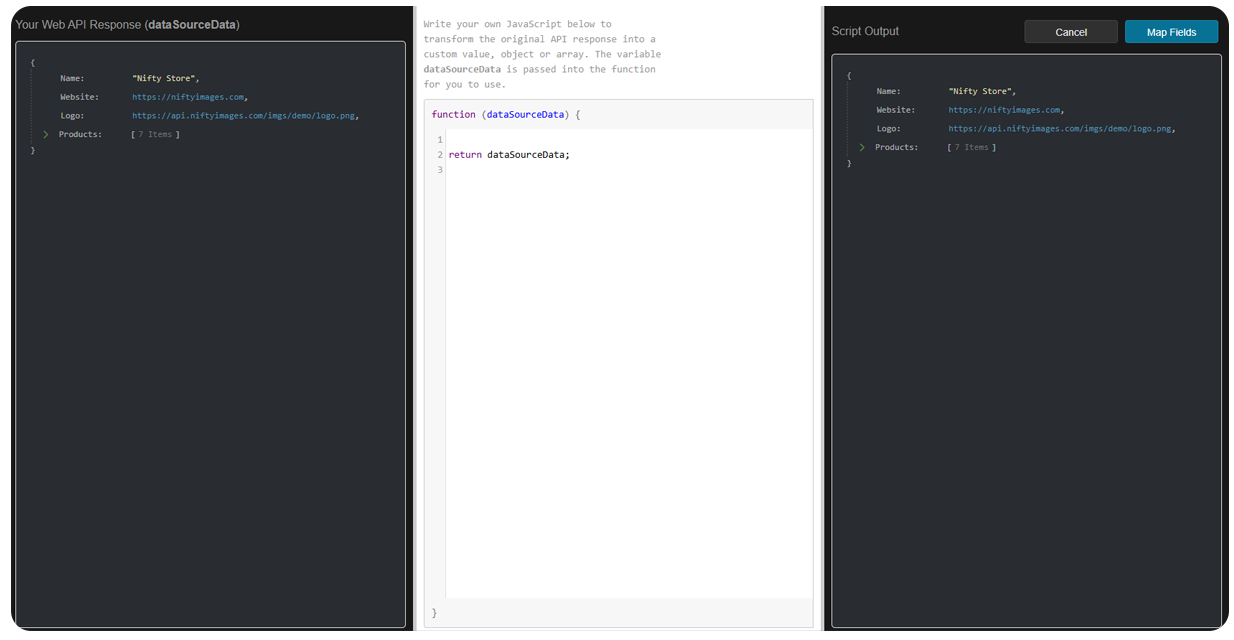
Custom Scripts:
Sample data mapping: